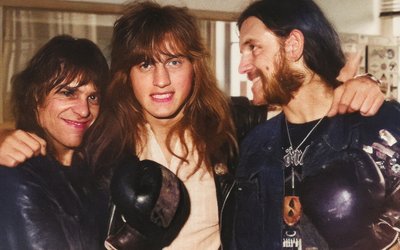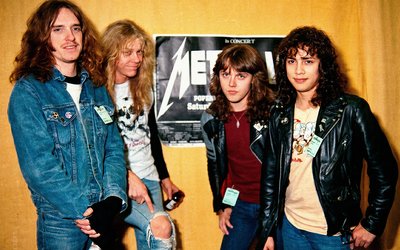
Do you retouch your photos?
YES, I DO
Actually, about 50% of my photos are retouched.
Until 2023, this was done exclusively with Photoshop, a rather long process that couldn’t be automated. Then Photoshop introduced AI tools for restoring old photos (mainly removing scratches and attempting to recover blurry faces).
WHY?
Most of my original negatives and printed photos were stored in cardboard boxes for over 40 years and have been damaged by time and poor storage conditions. Many negatives stuck together inside their protective sleeves. When a large number of them were scanned 12 to 15 years ago, scratches were created as they were removed from the sleeves.
As for the printed photos (generally better preserved because they were kept in plastic-coated albums), most had no scratches, but their colors had faded significantly. This is why color restoration is often necessary.
Below is a typical (extreme case) manual image restoration process with Photoshop:
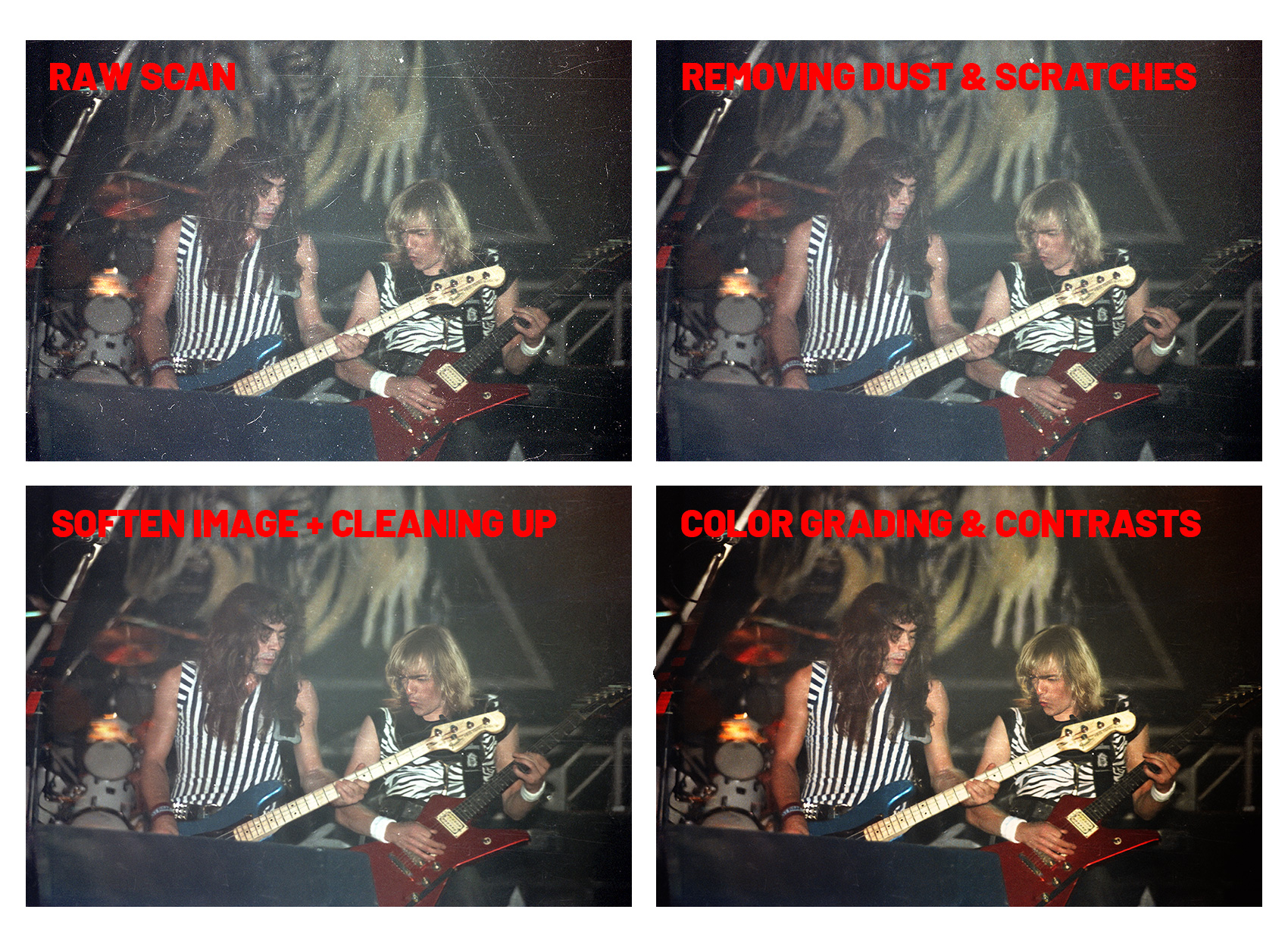
This process was fun to make but became extermely time-consuming as the number of images increased.
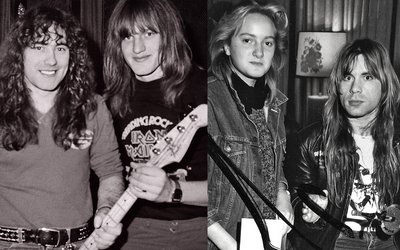
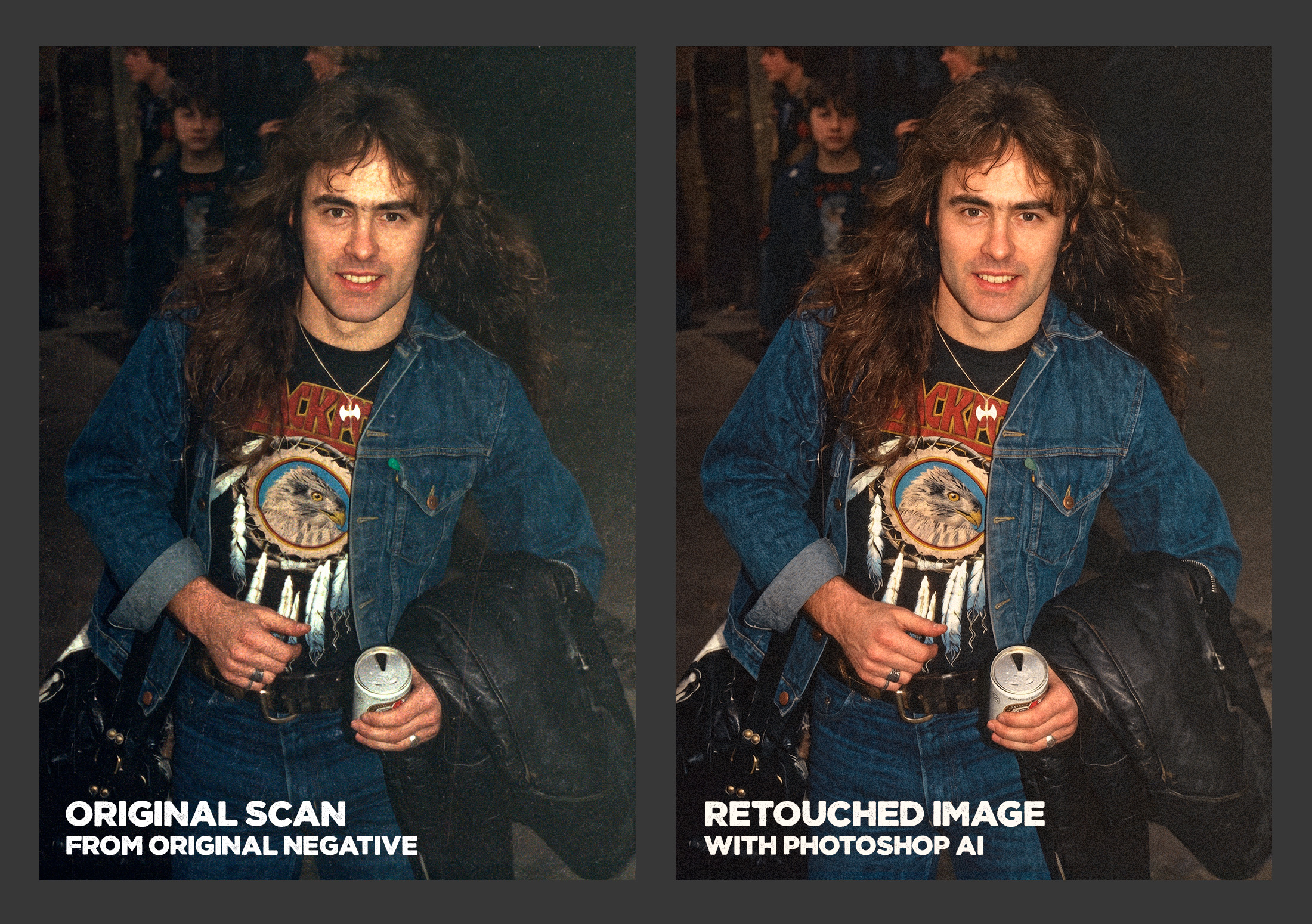
For the past few months (early 2026), Photoshop has integrated Gemini AI (Nano Banana) into its features, and the photo restoration performance is now very impressive. 80% of the time, I use it as in the examples below. Just for retouching. This is an old photo of Steve Harris, taken in 1982 in Brussels. On the left is the photo as it had been preserved for over 40 years. On the right is the same photo after Photoshop/AI retouching.
Another example below, using a 1982 live photo of Bruce Dickinson:
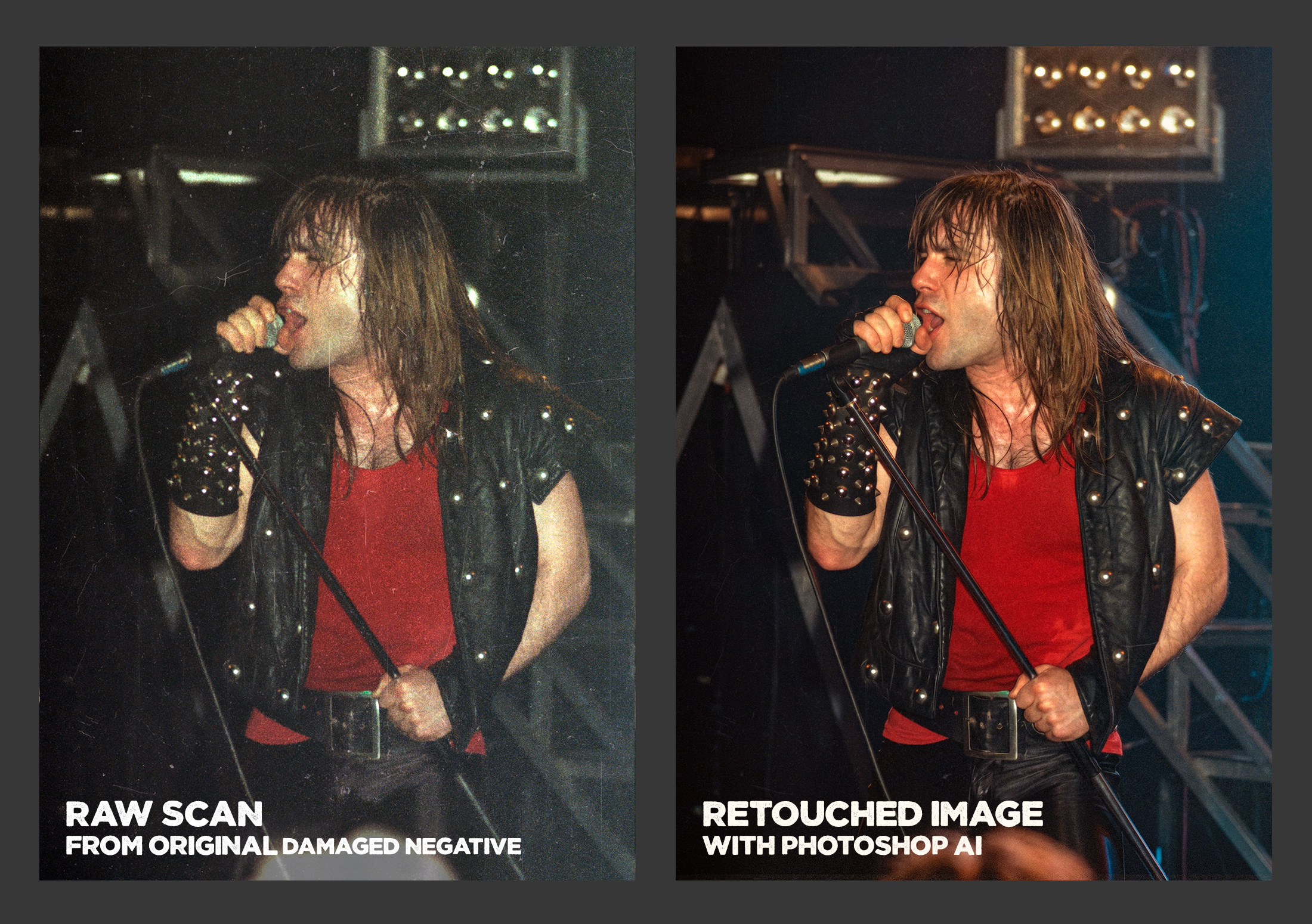
On the left: the original 1982 photo, the raw scan of a damaged negative. On the right: the same image that I just retouched with AI today in 2026. With traditional Photoshop work, it would have taken about an hour and with Photoshop’s AI, it took less than a minute. So this is just to gain time.
But as you can see, even using AI, the perceived reality is not altered.
Another quick case below :
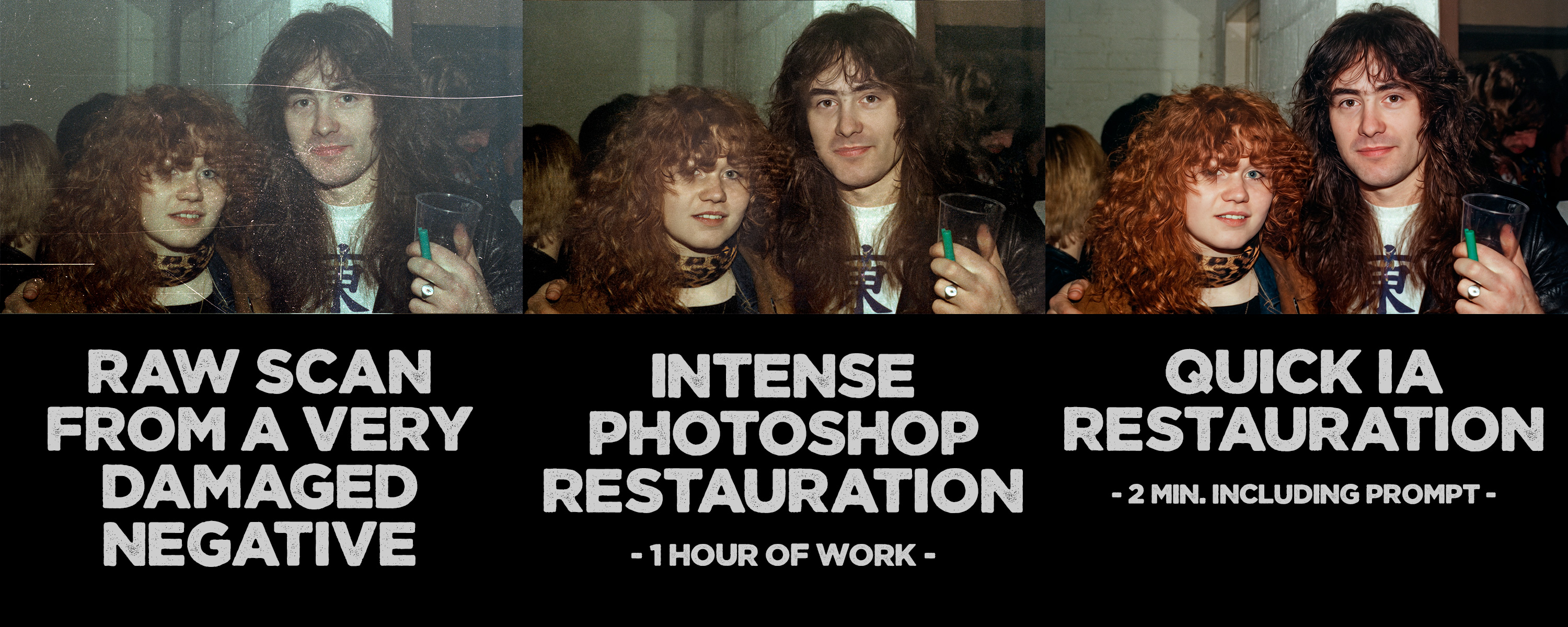
That said, it’s true that I now tend to use AI a lot for restoring my photos. The goal is double, gaining time AND show images that are much closer to what the scenes actually looked like at the time the photos were taken, rather than raw scans of images damaged by time. After all, the goal here is to give a second life to relatively old photos while trying to meet today’s visual standards.
However, image enhancement is another thing.
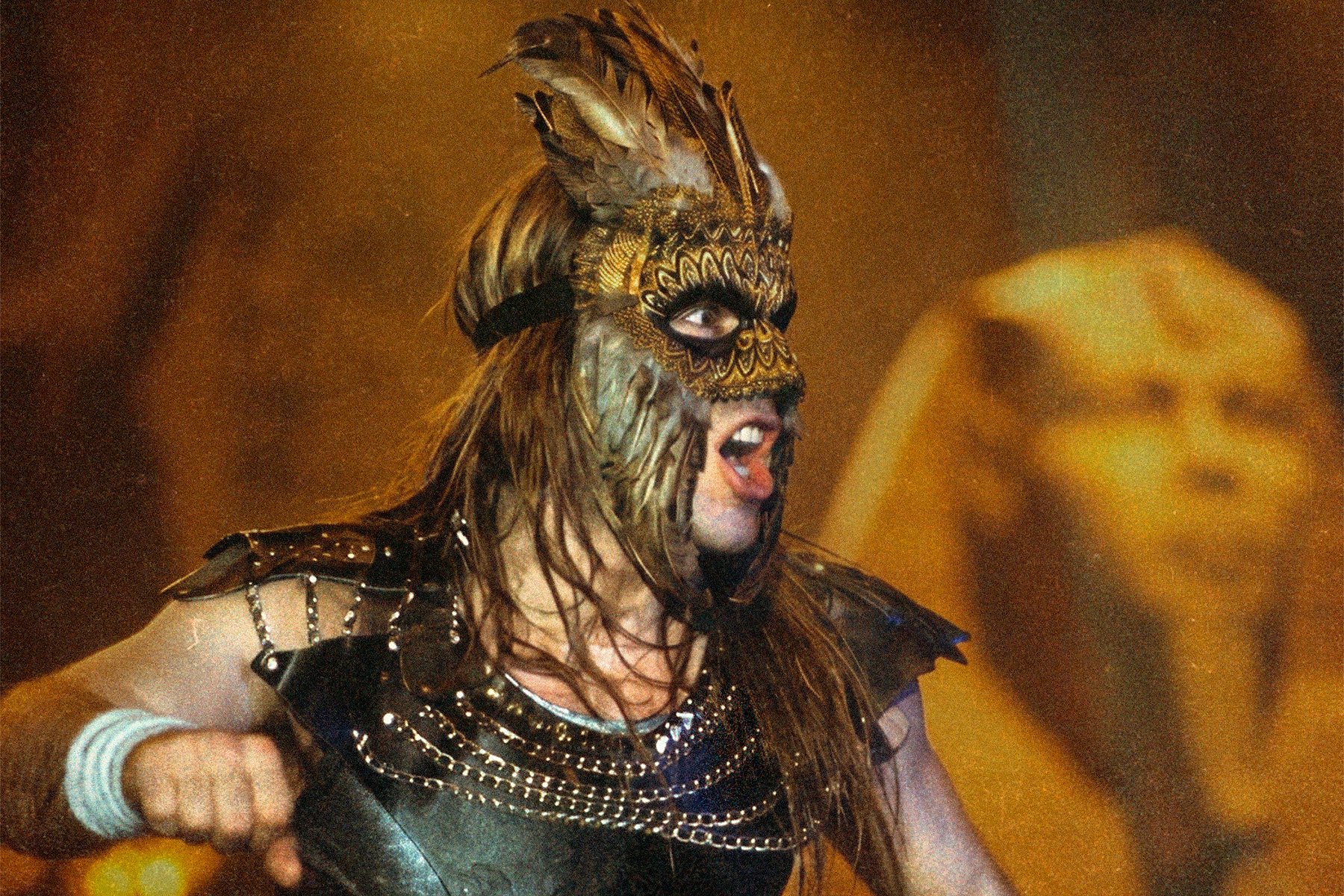
Take this 1984 photo of Bruce Dickinson during the World Slavery Tour in 1984. The singer was wearing this mask during the song Powerslave, much later in the concert, when photographers no longer had access to the front stage. So I took this photo on the fly, from the audience, and even though it is well framed and the singer has a nice position, it is slightly blurry due to the speed at which I had to photograph.
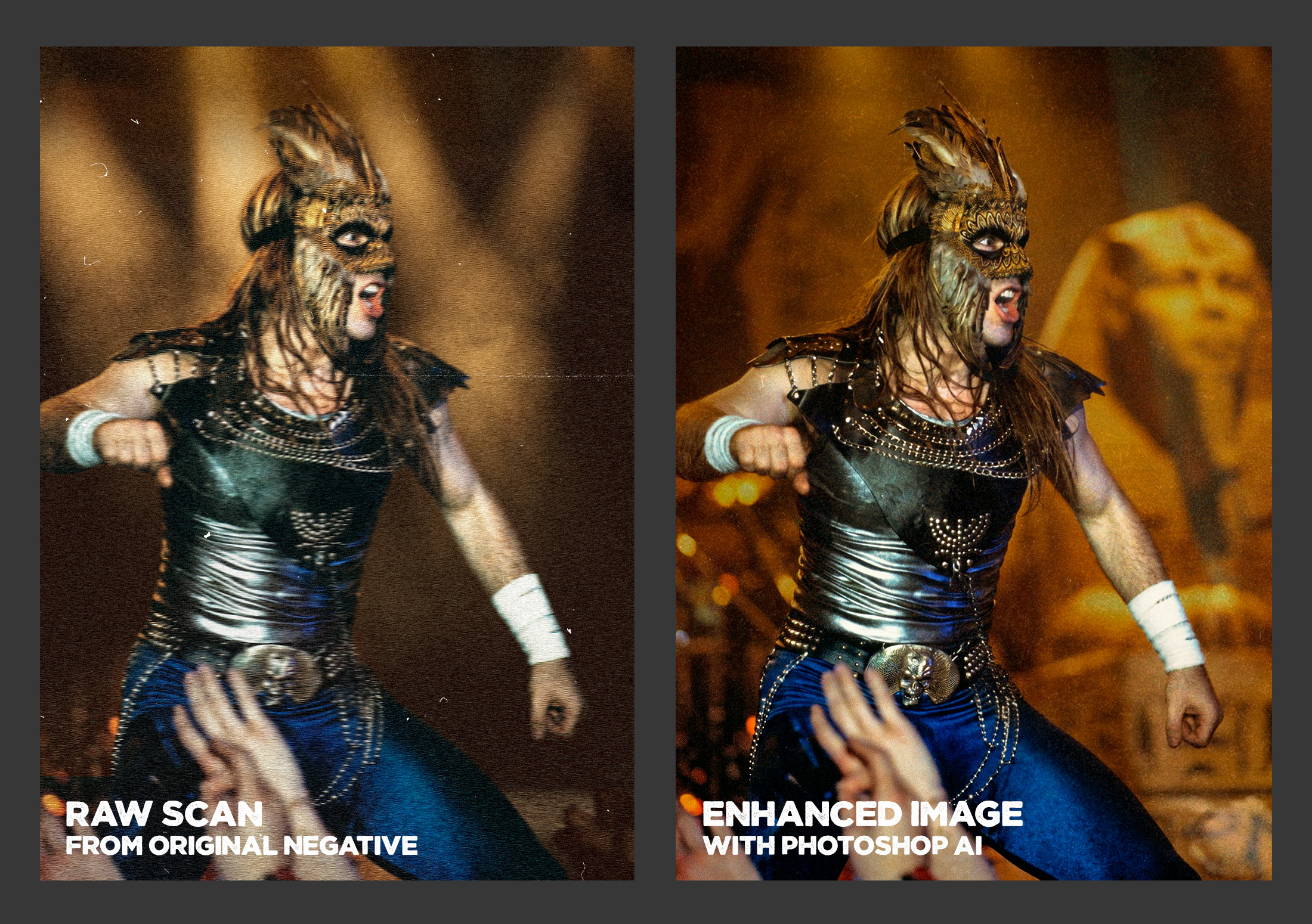
Because of this, I never showed/published this photo, but today, thanks to AI, I was able to sharpen it and even add a more visually interesting background. No longer bound by the constraints of factual accuracy, the background modification in this case was done solely for the photo gallery thumbnail... But since I preferred the final result to the background of my actual photo, I decided to keep it as shown here.
Again, the purpose here is to show images that are much closer to what the scenes actually looked like at the time the photos were taken, rather than raw scans of images damaged by time.